
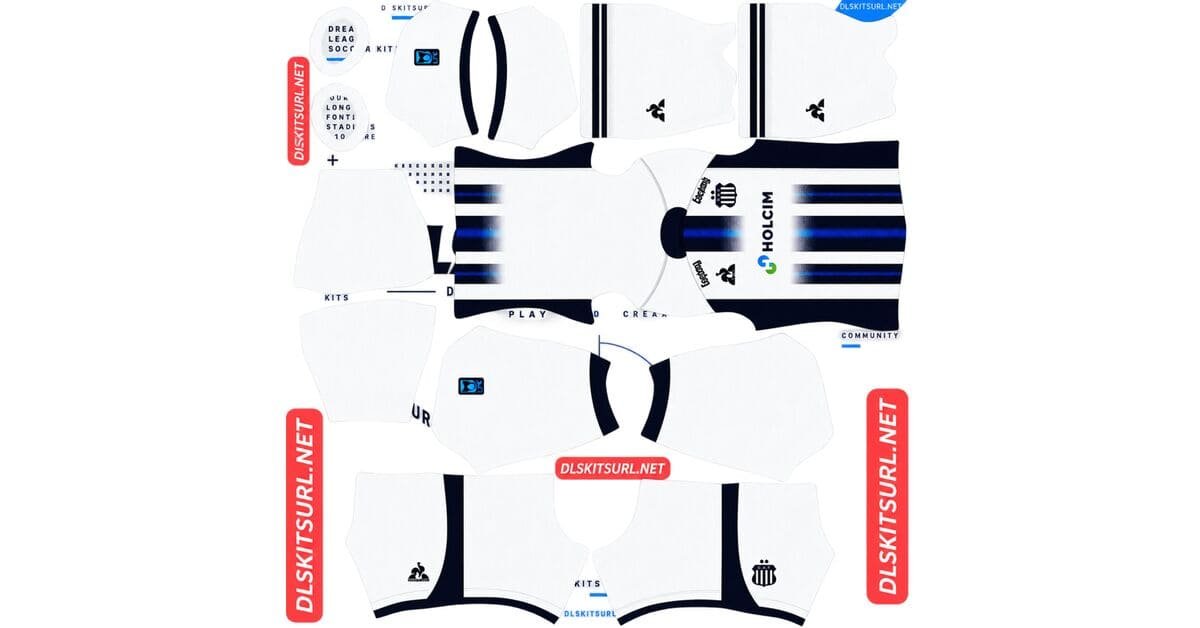
A Talleres DLS kits URL is a direct link to a 512×512 PNG shirt that you can import into Dream League Soccer. All four kit slots are listed below, and every file has been loaded into the game before being added to this page.
Talleres de Cordoba Logo
Official Logo 512×512 (2026/27)
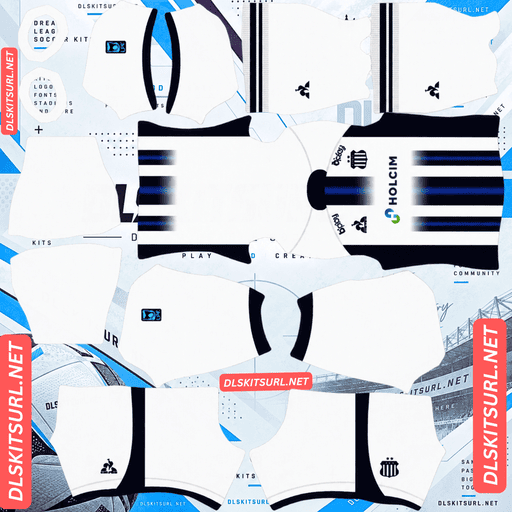
Talleres de Cordoba Home Kit
Home Kit 512×512 (2026/27)
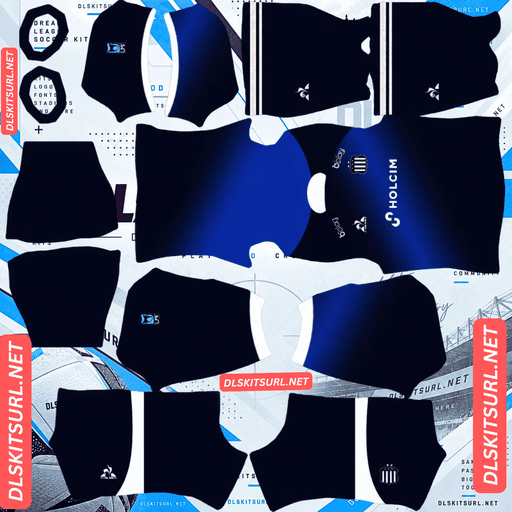
Talleres de Cordoba Away Kit
Away Kit 512×512 (2026/27)
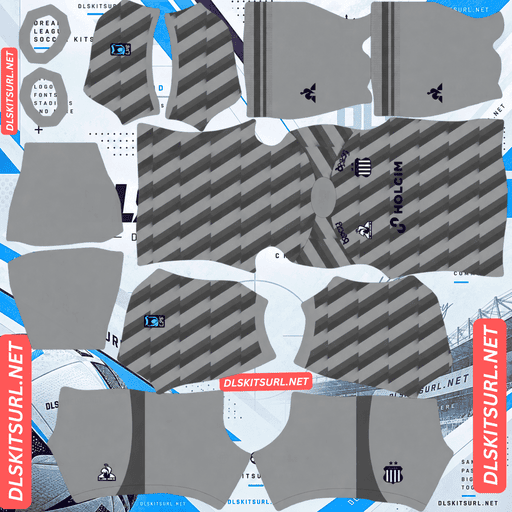
Talleres de Cordoba GK Home Kit
GK Home Kit 512×512 (2026/27)
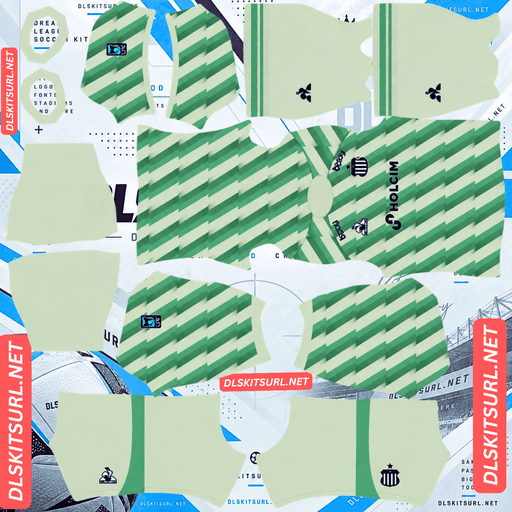
Talleres de Cordoba GK Away Kit
GK Away Kit 512×512 (2026/27)
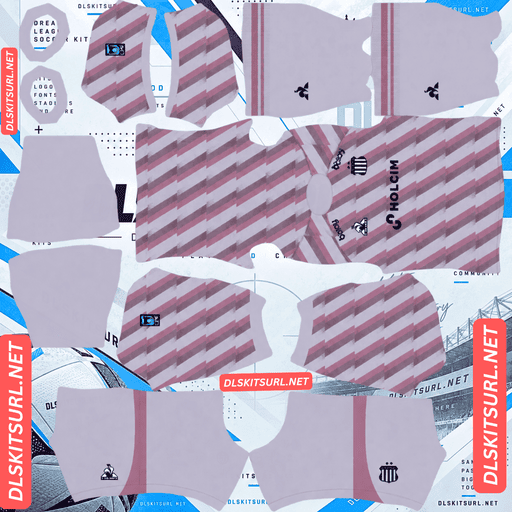
Talleres de Cordoba GK Third Kit
GK Away Kit 512×512 (2026/27)
Talleres have four outfield kits for the 2026 season, but Dream League Soccer only gives you three outfield slots. Before importing anything, it is worth deciding which design you want to leave out.
Four Kits, but Only Three Outfield Slots
Talleres released four shirts for the 2026 season: home, away, third and fourth.
Dream League Soccer gives you three outfield slots for those designs: home, away and third. The goalkeeper kit has a separate slot, but one of the four outfield shirts still has to sit out.
How to Choose Which Kit to Leave Out
Three simple questions can help you decide.
First, consider which shirt you will actually use. The home kit represents the club’s traditional identity, so it is the obvious choice to keep.
Next, look at how different the remaining designs are from one another. If two alternate kits share a similar base colour, keeping both may not give you much variety. Only one outfield kit appears at a time, so distinct designs make your team screen more interesting.
Finally, compare the quality of the available files. A fourth kit with a clean 512×512 image may be a better choice than a third kit with a blurry or poorly aligned template.
You do not have to make a permanent decision. Once the first custom-kit unlock is complete, changing kits is free, so you can rotate the fourth design into your squad whenever you want.
Talleres are not the only club facing this problem. Amed SK have six kits this season, while Erzurumspor and Trabzonspor have four each and Rizespor have five. All of them have more outfield designs than the game provides slots for.
Talleres’ Home Stripes Are Among the Easiest Designs to Reproduce
Talleres are known as los albiazules, a reference to their traditional blue and white colours. The classic home shirt uses vertical stripes, making it one of the simplest designs to reproduce in Dream League Soccer.
Why Vertical Stripes Are So Forgiving
Vertical stripes need to align in just one main direction along the centre of the shirt.
Horizontal bands are more demanding because they must match across several points. A diagonal sash is even more complicated, as both its position and angle need to remain consistent wherever it crosses a seam.
Talleres’ blue and white also provide genuine colour contrast rather than relying on subtle shades of the same colour. The stripes are wide, too, so there is very little fine detail for image compression to destroy.
Almost any decent-quality file should produce a convincing Talleres home shirt. It is one of the most forgiving designs covered on this site.
Why the Home Stripes Are a Poor Quality Test
There is one downside to having such a simple design: the stripes do not tell you much about the quality of the file.
Wide vertical bands can look perfectly fine even when the original image has been enlarged from a smaller resolution. The same problem applies to San Jose’s tie-dye design and Lecce’s striped home shirt.
Instead, inspect the collar, cuffs and crest. These elements have defined shapes and edges, making them more useful for spotting a weak image.
You should also check the dimensions reported by your browser. On a computer, right-click the image and choose the option to open it in a new tab before checking its properties.
Blue and White Give Talleres Good Pitch Visibility
Dream League Soccer displays players at a relatively small size during matches, so visibility depends on how strongly the shirt colours stand apart from the grass.
White separates clearly from pitch green, and blue also remains easy to distinguish from the playing surface.
Together, the two colours provide both external separation and contrast within the shirt. The stripes break up the player’s silhouette, making the design easier to recognise than a plain shirt in a single colour.
Talleres are among the easier Argentine sides to follow at match distance.
If one of the alternate shirts has a dark base, it will naturally appear as a deeper shape on the pitch. In that case, white numbers are a sensible choice because they provide a bright detail against the darker fabric.
What Number Colours Work Best on Talleres’ Kits?
Dream League Soccer does not take the number colour directly from your imported shirt image. Instead, two small colour swatches on the kit template control the numbers: one for the shirt and another for the shorts.
For the blue and white striped home kit, red or black is the best option. Blue and white already occupy the shirt, so using either club colour for the numbers would make them disappear against parts of the design. A third colour provides more reliable contrast.
For a light-coloured alternate, choose a dark number colour. White numbers on a white or pale shirt are difficult to see, which is a common mistake when importing light kits.
For a dark alternate, use white numbers. They stand out clearly against a dark background and remain readable during matches.
Remember to set the shirt and shorts number swatches separately rather than assuming one setting will suit both.
Check the Supplier When Identifying an Older Talleres File
Talleres have worked with different kit manufacturers over the years, so supplier branding is useful when checking whether a file belongs to the correct period.
Penalty supplied the club through the early 2010s, including during its time in the second tier. Le Coq Sportif produced the kits more recently.
A Penalty logo therefore points to an early-2010s shirt. That was a period when Talleres were outside the top flight, so those designs belong to a very different era of the club.
Always compare the supplier branding on a file with the kit cards above. The season written in a filename is much less reliable than the actual design and manufacturer logo.
What to Check in a Talleres DLS Kit File
Because the home stripes are so easy to reproduce, focus on the smaller details when judging image quality.
Start with the collar and sleeve cuffs. Their edges should look sharp and properly defined rather than blurred or smeared.
Next, inspect the crest and sponsor. Both should remain legible instead of appearing soft or stretched.
Finally, look at any boundary between two different colours outside the main stripes. Those edges should be clean and consistent.
If these details hold up, the file is much more likely to have the resolution it claims.
How to Use a Talleres DLS Kits URL
Use the copy button on the kit card rather than copying the address from your browser’s address bar. The browser address usually points to the webpage, not the actual PNG image.
Open Dream League Soccer and go to My Club, then select Customise. Choose the Kit section, not Logo, because shirts and badges are handled separately.
Select the slot you want to replace before pasting the link. Press and hold the URL field, tap Paste, and then choose Confirm. Older versions of the game may label that button Download.
The three outfield slots are used for home, away and third kits, while the goalkeeper shirt has its own separate slot.
Since Talleres have four outfield designs for 2026, make a note of which shirt you leave out. You can always rotate it into the game later.
Your first custom kit requires a one-time gem unlock. After that initial unlock, changing or replacing kits costs nothing.
Test the Talleres Kit Link Before Importing
Open the URL in your browser before using it in Dream League Soccer.
A working direct image link should display the shirt by itself, with the address ending in .png. If the image appears inside a webpage with menus, buttons or other content around it, you are looking at a viewer page rather than the actual image file.
For the striped Talleres home shirt, however, the visual test is not particularly useful. Wide blue and white stripes can look convincing even when the source image is low resolution.
Check the image dimensions reported by your browser instead, and pay closer attention to the collar, cuffs and crest when judging the file.
Why Do Talleres Kit URLs Stop Working?
There are three common reasons why a kit link can stop working, even if it appeared perfectly fine when you first copied it.
Free Image Hosts Delete Old Files
Free image-hosting services sometimes remove uploads that have not been accessed for months or years.
The original URL may still look valid, but the image behind it has been deleted. When Dream League Soccer tries to download the shirt, nothing is returned.
Hotlink Protection Blocks the Game
Some image hosts enable hotlink protection to prevent other websites or apps from loading their images directly.
This can make a link appear to work in your browser but fail inside Dream League Soccer. Your browser may be allowed to load the image from the hosting website, while the game’s request is refused.
The Preview and the Download Link Are Different Files
Some kit pages display a thumbnail hosted on their own server but provide a separate URL for the actual image.
If that external file disappears, the preview can still look completely normal while the download link no longer works.
For the files listed here, the shirt shown and the link you copy point to the same image on the same server.
The Talleres Badge
You can import the club crest during the same session. Open the Customise menu and select Logo instead of Kit.
Talleres’ badge features the club’s T monogram in blue and white.
A monogram works particularly well in Dream League Soccer because it is a single, bold shape without lots of small lettering or fine details. It remains easy to recognise at the small size used beside the match score, where a more complicated crest might become difficult to read.
The game crops every imported badge into a circle, so avoid files that are trimmed too tightly around the artwork. Choose one with enough clear space to keep the entire monogram visible after cropping.
Keep Your Talleres Kits Safe
Custom kits are stored on your device rather than attached to your game account. Updating Dream League Soccer will usually keep them, but reinstalling the game or switching to a new phone can remove your imported shirts and badge.
Talleres have four designs in circulation, and the club’s history with different suppliers can make older files confusing to identify.
Before importing anything, save all four current kit URLs in a notes app. Include the fourth shirt you decide not to use, so you can bring it back later without searching for the link again.
FAQ FOR RANK MATH
What is a Talleres DLS kits URL?
A Talleres DLS kits URL is a direct link to a 512×512 PNG Talleres de Córdoba shirt that you paste into Dream League Soccer’s kit screen. A working direct image link ends in .png.
How many kits do Talleres have for 2026?
Talleres have four outfield shirts for the 2026 season: home, away, third and fourth. Dream League Soccer only provides three outfield kit slots, so one design has to sit out.
Which Talleres kit should I leave out?
Choose the shirt that is least different from the other designs or has the weakest available file. Since changing kits is free after the first custom-kit unlock, you can rotate the fourth shirt into the game whenever you want.
Are Talleres’ blue and white stripes easy to reproduce in DLS?
Yes. Vertical stripes are among the simplest patterns to reproduce because they only need to align in one direction. Blue and white provide strong contrast, and the wide bands remain clear even at 512×512 resolution.
How do I check the quality of a Talleres kit file?
Inspect the collar, sleeve cuffs and crest rather than relying on the wide stripes. Those smaller elements have defined edges that make it easier to spot a blurry or low-resolution image.
What number colour should I use on Talleres’ striped home kit?
Use red or black. Since the shirt already contains blue and white stripes, either club colour would disappear against part of the design. A third colour gives the numbers more consistent visibility.
Are blue and white good colours for visibility in DLS?
Yes. Both colours stand apart from pitch green, and the vertical stripes create extra contrast within the shirt. This makes Talleres’ home kit easy to recognise during matches.
How can I identify an older Talleres kit file?
Check the manufacturer branding. A Penalty logo points to the early 2010s, when Talleres were outside Argentina’s top flight. Le Coq Sportif branding belongs to a more recent period, so always compare the actual supplier logo and design with the kit cards before importing.