
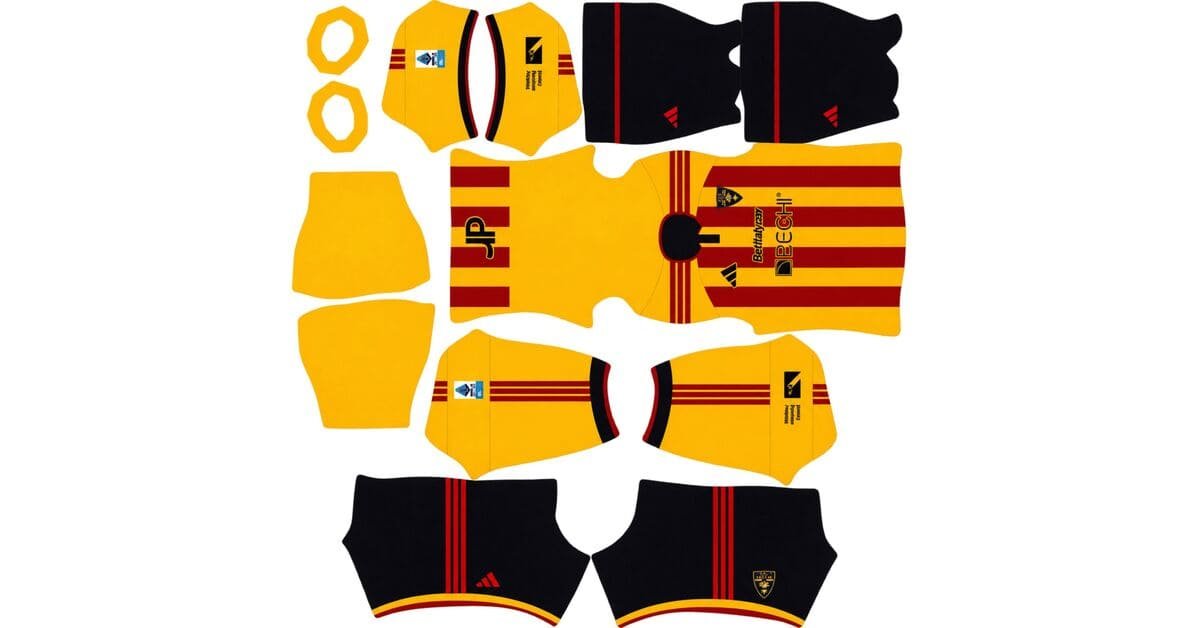
A Lecce DLS kits URL is a direct link to a 512×512 PNG shirt that you can import into Dream League Soccer. All four kit slots are listed below, and each file has been loaded into the game before being added to this page.
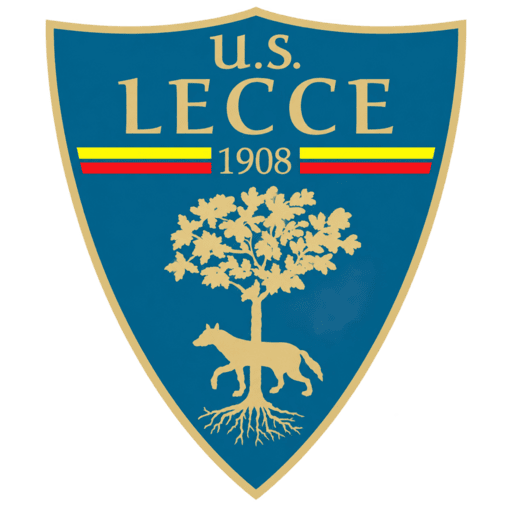
Us Lecce Logo
Official Logo 512×512 (2026/27)
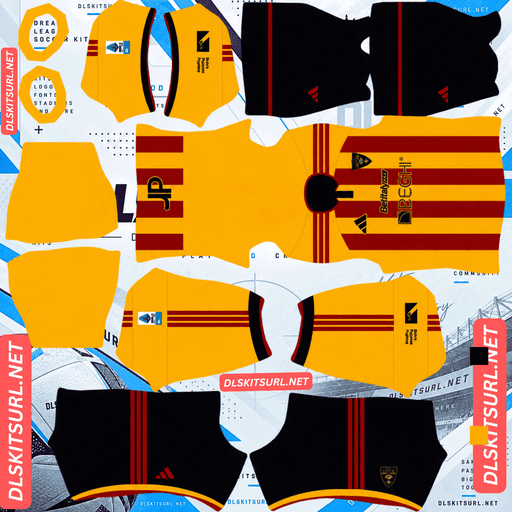
Us Lecce Home Kit
Home Kit 512×512 (2026/27)
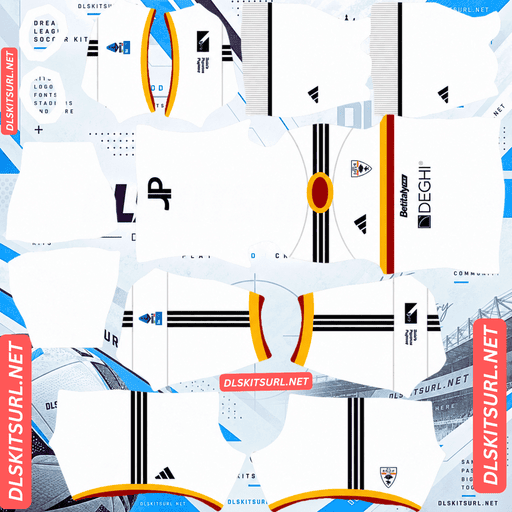
Us Lecce Away Kit
Away Kit 512×512 (2026/27)
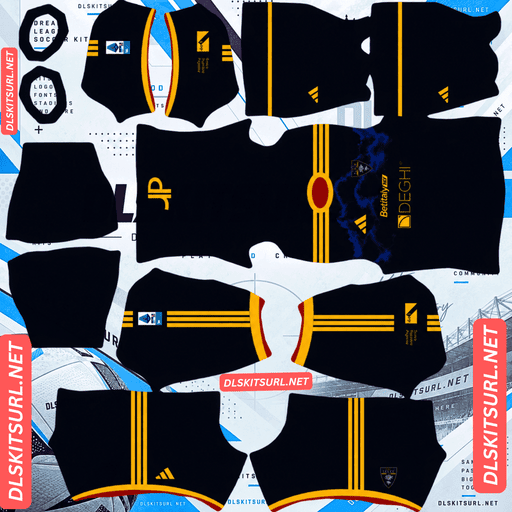
Us Lecce Third Kit
Third Kit 512×512 (2026/27)
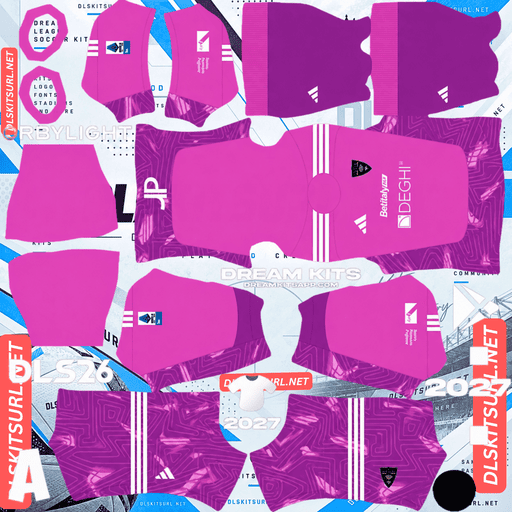
Us Lecce GK Home Kit
GK Home Kit 512×512 (2026/27)
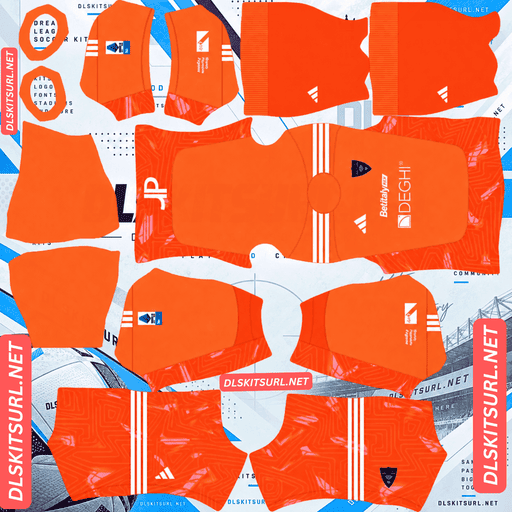
Us Lecce GK Away Kit
GK Away Kit 512×512 (2026/27)
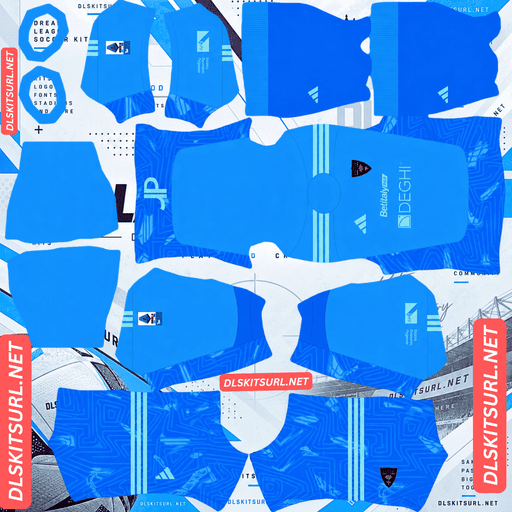
Us Lecce GK Third Kit
GK Third Kit 512×512 (2026/27)
There is a major change at Lecce this season that makes the 2026-27 kits much easier to find than the club’s shirts have been over the past eight years.
Adidas Replaces Lecce’s In-House Kit Brand
For years, Lecce produced its kits in-house. The shirts were initially unbranded before the club introduced its own label, M908, a name taken from the year Lecce was founded.
That arrangement has now ended. Adidas became the club’s kit supplier for 2026-27, bringing an end to the long-running in-house production period.
Why the Supplier Change Makes Finding Files Easier
In-house kit brands are usually a warning sign when searching for DLS files. Clubs such as Juventude with 19Treze, Ceará with Vozão, Göztepe with Göz Göz and Amed SK face a similar problem: their kits have limited international distribution, little overseas retail presence and less coverage from kit websites outside their home countries.
Lecce had that same problem for eight seasons. With Adidas now involved, it is no longer the case.
Most large kit databases used by DLS libraries focus heavily on globally recognised suppliers such as Nike, Adidas and Puma. When Adidas releases a new shirt, images spread across international websites and kit communities within hours. Those designs are then much easier to turn into 512×512 templates.
The 2026-27 Lecce kits should therefore have better file availability than any recent season. This is a significant change, not just a small improvement.
M908 and Adidas Logos Make Season Identification Simple
The supplier logo is the quickest way to identify an older Lecce file.
An M908 logo points to the 2021 season through 2025-26. Before that period, Lecce’s in-house shirts were produced without the M908 label.
An Adidas logo indicates the 2026-27 collection and is the clearest sign that you are looking at the current season’s kit.
The Home Kit Is the Easiest to Reproduce
Lecce’s home shirt keeps the club’s familiar red and yellow vertical stripes, the colours behind its Giallorossi identity. The design also features a dark navy polo collar, matching navy accents on the sleeve cuffs and navy Adidas branding across the chest and shoulders.
Vertical Stripes Are Simple for DLS Templates
Vertical stripes are among the easiest patterns to reproduce on a kit template because they only need to line up along one central direction on the body.
Horizontal bands are more demanding because their alignment has to work across several points. Vertical stripes have a much simpler job.
The contrast between Lecce’s red and yellow is also strong, while the stripes themselves are wide enough to remain clear at 512×512 resolution.
Almost any decent-quality file should produce a convincing Lecce home shirt. It is one of the more forgiving designs to import in Serie A.
Use the Navy Details to Check Image Quality
The navy polo collar and sleeve accents provide a better way to judge the quality of an imported file. They sit against the red and yellow shirt, creating clearly defined shapes.
Pay particular attention to the collar. Its edges and front placket should look sharp rather than blurred or smeared. A polo collar has a distinct structure that a DLS template can reproduce, making it a more useful quality check than the broad stripes.
The navy Adidas branding on the shoulders is another good place to inspect. If those shapes have clean edges, the file is likely to have enough resolution.
The Third Kit Has a Navy Base and Wavy Graphic
Lecce’s third shirt takes a different approach from the traditional home design. It uses a deep navy blue base with a subtle wavy graphic, complemented by yellow Adidas logos and Three Stripes.
Red and yellow detailing around the collar and cuffs brings the club’s familiar colours back into the design.
Expect the Wavy Pattern to Disappear
The word subtle is important here. Low-contrast patterns are usually among the first details to disappear when a shirt is reduced to a 512×512 image.
The problem is more noticeable when the pattern sits on a dark navy background. Dark colours leave less room for small tonal differences to remain visible, so a delicate graphic can easily blend into the base colour.
Expect the imported version to look mostly like a plain navy shirt. That does not necessarily mean the file is poor quality; it is a limitation of the pattern and its contrast.
Yellow Adidas Branding Does the Heavy Lifting
The yellow Adidas logos and shoulder stripes have much stronger contrast against navy, so they should remain clear in the imported version.
The red and yellow collar and cuff details may become thinner as the template compresses them, but the shirt should still retain its Lecce identity through the yellow branding.
When checking the third-kit file, focus on the yellow Three Stripes across the shoulders. Their edges should be clean and clearly separated from the navy background.
Which Lecce Kit Reproduces Best in DLS?
The home shirt is the safest choice if you want a design that stays close to its original appearance. Its wide red and yellow stripes are straightforward to reproduce, and only one main alignment direction needs attention.
The away kit should be judged against its card above, as its design is not specified here.
The third kit is more dependent on colour contrast than fine detail. Its subtle wavy graphic will mostly disappear, but the yellow Adidas branding should remain visible against the navy base.
How Visible Are Lecce’s Kits on the Pitch?
Lecce’s home shirt is one of the most readable designs you can use in Dream League Soccer.
Players appear relatively small during matches, so a kit’s visibility depends heavily on how different its colours are from the pitch.
Yellow stands out strongly against green grass, while red is close to the opposite side of green on the colour spectrum. Lecce combines both colours in wide vertical stripes, giving the home shirt plenty of contrast even when viewed from a distance.
It is difficult to ask for much better visibility than red and yellow stripes in this game.
The navy third kit is naturally darker. It still separates clearly from the pitch, but it creates a deeper overall silhouette than the home shirt. The yellow Adidas branding provides the brightness, making those shoulder stripes especially important.
What Number Colours Work Best on Lecce’s Kits?
Dream League Soccer does not take the shirt-number colour directly from your imported image. Instead, it uses two small colour swatches on the kit template: one controls the shirt numbers and the other controls the shorts numbers.
For the home kit, navy is the best choice because it matches the collar and Adidas branding. Red and yellow would each disappear into parts of the striped shirt, while white would lose contrast against the yellow sections.
For the third kit, use yellow to match the Adidas branding. It stands out clearly against the navy base.
For the away kit, choose a colour that does not dominate the upper back of the shirt. The aim is to keep the numbers readable rather than blending them into the main shirt colour.
Remember to set the shirt and shorts swatches separately. Lecce often pair their striped home shirt with navy shorts, so the two areas may need different colours.
How to Tell If a Lecce Kit File Is Current
There are four useful checks when choosing a 2026-27 Lecce kit URL.
Look for Adidas branding, not M908. M908 identifies the 2021 to 2025-26 period, while Adidas indicates the new 2026-27 supplier.
Check the home collar and cuffs. The current home shirt should have a navy polo collar and matching navy sleeve accents.
Check the third kit’s colours. It should have a navy base, a subtle wavy graphic and yellow Adidas branding.
Compare the actual design with the kit cards above. A season label in a filename is not enough to confirm that a file is correct.
Lecce’s red and yellow stripes have remained broadly familiar over the years, so the supplier branding and collar details are more dependable season checks than the basic pattern.
How to Use a Lecce DLS Kits URL
Use the copy button on the kit card rather than copying the address from your browser’s address bar. The browser address usually points to the webpage, not the actual PNG image.
Open Dream League Soccer and go to My Club, then select Customise. Choose the Kit section, not Logo, because the game handles shirts and badges separately.
Select the kit slot you want to replace before pasting the URL. The selected slot is the one that will receive the new design.
Press and hold the URL field, tap Paste, and then select Confirm. On older versions of the game, the final button may be labelled Download.
The three outfield slots are used for the home, away and third shirts. The goalkeeper kit is separate, so you can set that as well rather than leaving the default design.
Your first custom kit requires a one-time gem unlock. Once that is done, changing or replacing your imported kits is free.
Test the Lecce Kit Link Before Importing It
It is worth checking the URL in your browser before opening the game.
A working direct image link should display the shirt by itself, filling the browser window. Its address should also end in .png.
If the image appears inside a webpage with buttons, menus or other content around it, you are probably looking at a viewer page rather than a direct image link. Dream League Soccer cannot import that type of page.
The Lecce home shirt needs a slightly different quality check. Its wide vertical stripes can look convincing even in a low-resolution image, so do not judge the file by the stripes alone. Inspect the navy polo collar and Adidas branding, and check the image dimensions reported by your browser.
Why Do Lecce Kit URLs Stop Working?
There are three common reasons why a kit link can stop working, and not all of them are immediately obvious.
Free Image Hosts Delete Old Uploads
Some free image-hosting services remove files that have not been accessed for months or years. The original URL may still look valid, but the image itself is no longer available.
This is less of a concern for the 2026-27 Lecce kits than for older seasons. Adidas releases receive wider international coverage, which means more copies are likely to remain in circulation.
Hotlink Protection Blocks the Game
Some image hosts enable hotlink protection. This prevents other websites or apps from loading an image directly from their servers.
As a result, a link might open perfectly when you click it in your browser but fail when Dream League Soccer tries to download it. The game is making a request from a different source, and the host may refuse it.
The Preview Image and Download Link Are Different
Some kit pages display a thumbnail hosted on their own website but provide a separate URL for the actual download.
That creates a problem when the external file disappears. The preview can continue to look fine on the page even though the link supplied for DLS no longer works.
For the files listed here, the image shown and the URL you copy point to the same file on the same server.
Importing the Lecce Badge
You can import the Lecce crest during the same session, but choose Logo instead of Kit in the Customise menu.
The club’s crest is a shield featuring the she-wolf and holm oak from the city’s coat of arms, using Lecce’s familiar yellow and red colours.
Dream League Soccer crops imported badges into a circle. Since Lecce’s shield becomes narrower towards its base, a tightly cropped image can lose part of the design.
Choose a badge file with some clear space around the complete shield so the artwork fits inside the circular crop.
The wolf is a useful figure for DLS because its shape is bold and self-contained. It remains recognisable at the small size used beside the score, where finer details would be harder to see. The yellow and red colour blocks help the crest stand out.
Keep a Backup of Your Lecce Kits
Custom kits are saved on your device rather than attached to your game account. A normal game update will usually leave them in place, but reinstalling Dream League Soccer or moving to a new phone can mean losing both your shirts and badge.
Lecce’s move to Adidas makes replacement files easier to find this season than they have been in recent years. Even so, it is worth saving all four kit URLs in a notes app before importing them.
That way, you can restore your home, away, third and goalkeeper designs without having to search for every link again.
FAQ FOR RANK MATH
What is a Lecce DLS kits URL?
A Lecce DLS kits URL is a direct link to a 512×512 PNG shirt that you can paste into Dream League Soccer’s kit screen. A working direct image link ends in .png.
Who makes Lecce’s kits now?
Adidas became Lecce’s kit supplier for the 2026-27 season. The club previously produced its shirts in-house, first without a label and later under the M908 name. An M908 logo therefore dates a kit to 2021 through 2025-26.
Does the supplier change make Lecce kit files easier to find?
Yes. In-house brands generally have limited international distribution, which means fewer kit images are available for conversion into 512×512 DLS templates. Adidas releases receive worldwide coverage much more quickly, making the 2026-27 Lecce files easier to find than those from recent seasons.
Are Lecce’s red and yellow stripes easy to reproduce in DLS?
Yes. The vertical stripes only need to align in one direction, the red and yellow provide strong contrast, and the bands are wide enough to remain clear at 512×512 resolution. Almost any decent-quality file should reproduce the home design well.
How should I check the quality of a Lecce home kit file?
Look closely at the navy polo collar, sleeve cuff accents and Adidas branding on the shoulders. These details have defined edges and strong contrast, making them more reliable quality checks than the wide stripes.
Will the Lecce third kit’s wavy graphic appear in DLS?
Most of it will probably disappear. The pattern is subtle and sits on a dark navy base, which makes it difficult to preserve at 512×512 resolution. The yellow Adidas logos and shoulder stripes should remain visible and carry the design.
Are Lecce’s red and yellow colours good for visibility in DLS?
Yes. Yellow stands out strongly against green grass, while red also provides a clear contrast. The combination of both colours in wide vertical stripes makes Lecce’s home shirt particularly easy to recognise during matches.
What number colour should I use on Lecce’s home kit?
Navy is the best option. It matches the collar and Adidas branding, while red and yellow numbers would disappear into parts of the striped shirt. Set the shirt-number and shorts-number swatches separately.