
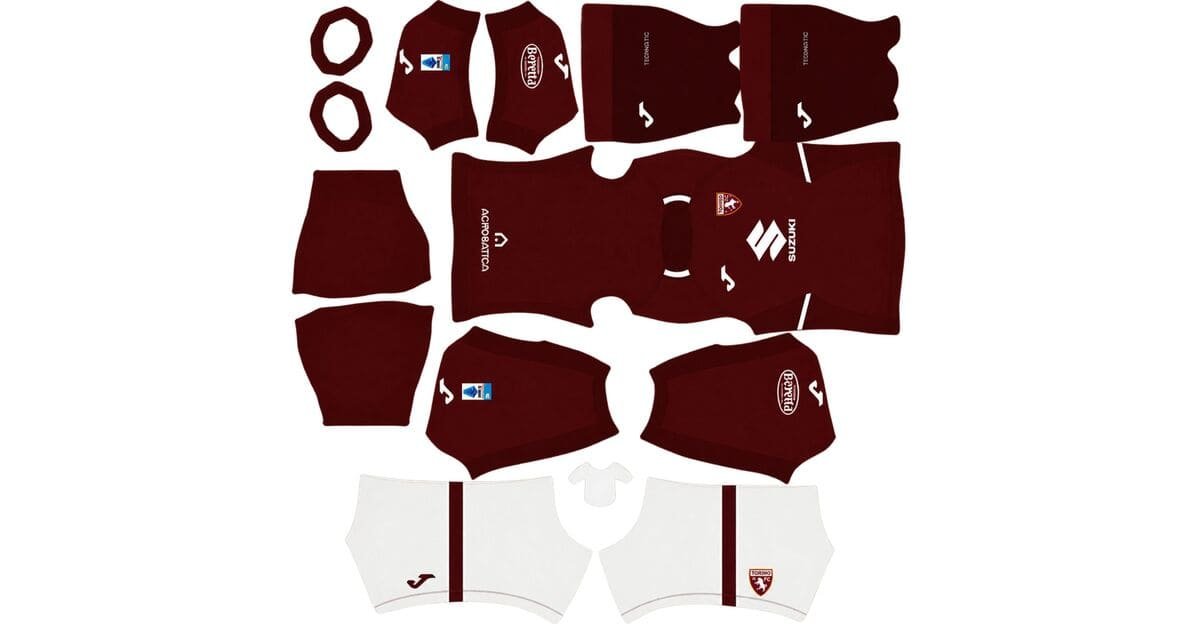
A Torino DLS kits URL is a direct link to a 512×512 PNG shirt that you can import into Dream League Soccer. All four kit slots are listed below, and every file has been loaded into the game before being added to this page.
Torino FC Logo
Official Logo 512×512 (2026/27)
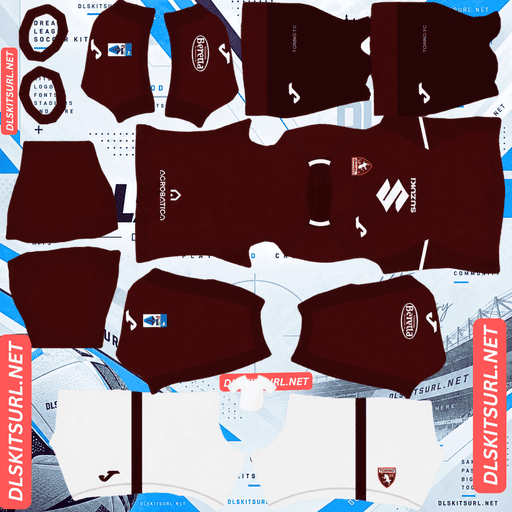
Torino FC Home Kit
Home Kit 512×512 (2026/27)
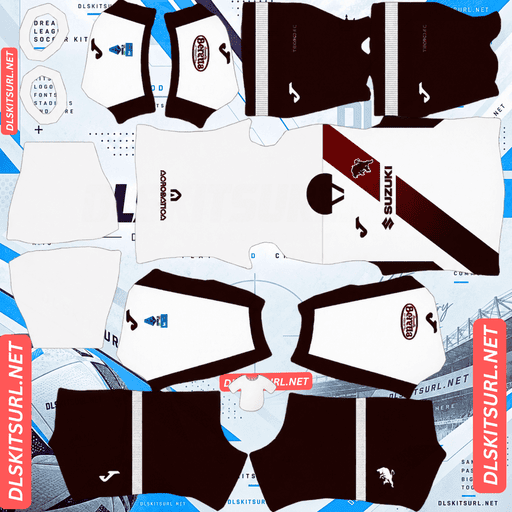
Torino FC Away Kit
Away Kit 512×512 (2026/27)
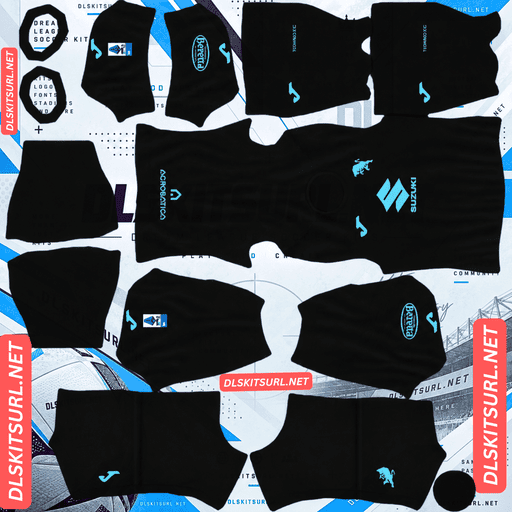
Torino FC Third Kit
Third Kit 512×512 (2026/27)
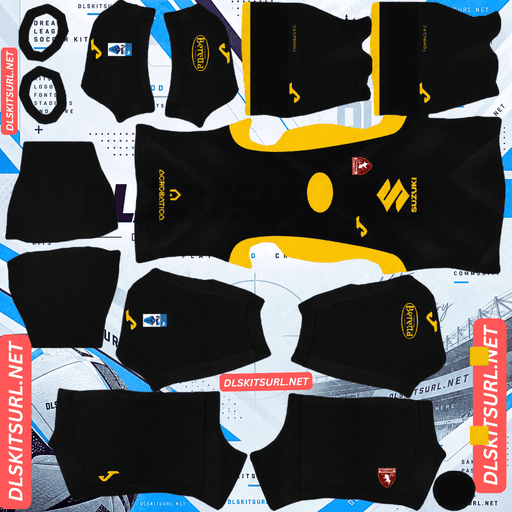
Torino FC GK Home Kit
GK Home Kit 512×512 (2026/27)
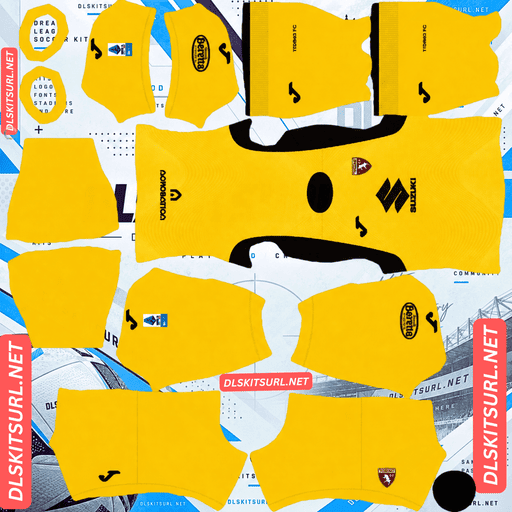
Torino FC GK Away Kit
GK Away Kit 512×512 (2026/27)
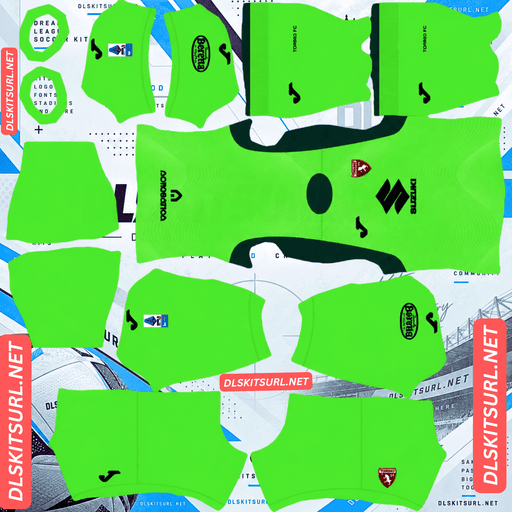
Torino FC GK Third Kit
GK Third Kit 512×512 (2026/27)
Joma has given Torino three different kits for 2026-27, and each one uses a design technique that Dream League Soccer handles differently. Knowing what to expect will help you judge whether a file is genuinely poor quality or simply limited by the game’s template.
The Home Kit Celebrates 120 Years of Torino
Torino’s 2026-27 home shirt marks the 120th anniversary of the club’s foundation. The design stays close to the club’s traditional Granata identity, with a deep maroon base and carefully placed detailing.
It features a tonal maroon collar and sleeve cuffs, alongside sharp white inserts on the shoulders and sides.
Why the Tonal Collar May Look Plain
Tonal detailing uses different shades of the same colour rather than contrasting colours. In this case, the collar and cuffs use maroon shades against the maroon shirt.
That creates a problem at 512×512 resolution. Compression has very little colour difference to preserve, so subtle changes in shade are easily lost. Dark backgrounds make the problem even more noticeable because they leave less room for small tonal details.
The collar and cuffs are also among the smallest areas of the kit template.
With both limitations working together, expect the collar to look almost like a plain maroon section in the imported version. This is a limitation of the design, not necessarily a sign that you have downloaded a poor file.
The White Inserts Are the Important Quality Check
The white shoulder and side inserts are much easier to reproduce. White against deep maroon creates strong contrast, and these details occupy enough space on the shirt to remain visible at 512×512.
They are also the features that give the home kit much of its visual character.
When checking a file, look at the edges of the white inserts. They should be clean and clearly separated from the maroon fabric, rather than blurred or smeared.
The shirt should still look recognisably like Torino’s 2026-27 home kit. What disappears is mainly the subtle anniversary detailing, not the overall design.
The Away Kit Uses a Gradient Sash
Torino’s away shirt features a modern gradient sash. It is the most demanding design of the three because it combines diagonal geometry with a gradual change in colour.
Why a Diagonal Sash Is Difficult to Reproduce
A sash runs diagonally across the shirt, so its position and angle must remain consistent wherever it crosses a seam.
That includes both sides of the body, the sleeves and the back. Even a small alignment error can make the sash appear to bend or break when the shirt is wrapped around the player model.
A vertical stripe has a much simpler alignment requirement. A diagonal sash has to maintain its direction across several separate parts of the template.
RC Lens’ two-colour diagonal sash previously held the record on this site for this kind of difficulty, for exactly that reason.
The Gradient Makes the Problem Even Harder
A gradient is made up of many slightly different shades that blend into one another. To reproduce it smoothly, an image needs enough pixels to preserve those intermediate colours.
When the source image is too small, the transition can break into visible bands of flat colour. Instead of a smooth fade, the sash starts looking like several separate blocks.
Combining a gradient with a diagonal sash creates two independent problems: the sash can lose alignment at the seams, while the gradient can develop banding along its length.
There are two checks worth doing before keeping the file:
Check the sash from the side. Import the shirt and see whether the diagonal continues across the seam at the same angle or develops a noticeable kink.
Inspect the gradient itself. Look along the sash to see whether the fade remains smooth or breaks into separate bands of colour.
A file can pass one test and fail the other. Torino’s away kit is the one that deserves the most careful testing before you settle on a download.
The Third Kit Has an Embossed Design
The third shirt uses a dark blue base with a subtle embossed texture inspired by the Mole Antonelliana, Turin’s famous landmark tower.
The design is finished with turquoise branding accents and a rampant bull crest, giving the shirt a distinctive look despite its dark base.
Why the Embossed Texture Cannot Appear in DLS
Embossing is a surface effect rather than a colour pattern. It becomes visible when light catches raised and recessed areas of the fabric, creating highlights and shadows.
A flat 512×512 image has no actual surface depth. It cannot reproduce the way light interacts with raised fabric, so there is no texture for the game to carry over.
Expect the imported shirt to look like a plain dark blue kit. This is not something that can be fixed by finding a higher-quality file. The limitation comes from the flat image format itself.
The same issue affects other designs that rely on fabric texture, including Santa Fe’s lion’s-mane texture, Santos’ matte-and-gloss weave, Botafogo’s woven arabesque and Internacional’s textured stripes.
Turquoise Is the Detail That Survives
The turquoise branding and bull crest have something that a flat image can preserve: clear colour contrast against the dark blue base.
These are the details to focus on when comparing third-kit files. The turquoise elements should be sharp, visible and properly defined.
They are the only parts of this design that a 512×512 image can reliably carry over.
Which Torino Kit Reproduces Best in DLS?
The home shirt is the safest option because its white inserts provide clear contrast and are relatively easy to reproduce. Its tonal collar and cuffs may disappear, but the main design remains recognisable.
The away kit is the most demanding. Its diagonal gradient sash needs both accurate seam alignment and a smooth colour transition, so it is worth testing from multiple angles.
The third kit loses its embossed texture regardless of file quality. The dark blue base and turquoise branding survive, but the original surface effect cannot be recreated.
The home is the safest download overall. The away depends heavily on the quality of the template, while the third loses an important part of its original concept even when the file is correct.
How Visible Are Torino’s Kits on the Pitch?
All three shirts separate reasonably well from the green pitch, but none is particularly bright.
Dream League Soccer displays players at a relatively small size during matches, so the difference between a shirt and the grass matters more than tiny design details.
Torino’s Granata maroon is clearly different from pitch green, although its deep shade gives the player a darker overall appearance. The white shoulder and side inserts break up that dark silhouette, making them important for visibility as well as design accuracy.
The dark blue third kit also stands apart from the grass. Its turquoise details provide the main brightness and help the shirt remain recognisable.
Torino’s colours are not especially difficult to follow during a match, but they are not as bright as yellow or white kits either. That makes the number colour particularly important.
What Number Colours Work Best on Torino’s Kits?
Dream League Soccer uses two separate colour swatches on the kit template to control numbers. One determines the shirt numbers, while the other controls the shorts numbers. Neither colour is automatically taken from your imported image.
For the home kit, white is the best choice. It matches the shoulder and side inserts and provides the clearest contrast against deep maroon.
For the third kit, turquoise or white will work. Turquoise matches the shirt’s branding and stands out against the dark blue base, while white offers another clear option.
For the away kit, use white. The gradient sash crosses the back of the shirt, so a mid-tone number could disappear into part of the colour transition.
Set the shirt and shorts number swatches separately to keep both areas readable.
How to Tell If a Torino Kit File Is Current
There are four useful checks when identifying the correct 2026-27 Torino kits.
Look for Joma branding. Kappa branding points to a kit from 2018-19 or an earlier season.
Check the home shirt. It should have white inserts on the shoulders and sides, with a tonal maroon collar.
Check the away design. The current shirt should feature a gradient sash rather than a simple solid-colour band.
Check the third kit. It should have a dark blue base with turquoise accents, not the previous season’s design.
These details are more dependable than relying on the season written in a filename. Always compare the actual shirt with the kit cards above.
How to Use a Torino DLS Kits URL
Use the copy button on the kit card rather than copying the address from your browser’s address bar. The browser address usually leads to the webpage, not the direct image.
Open Dream League Soccer and go to My Club, then select Customise. Choose the Kit section, not Logo, because shirts and badges are imported through separate menus.
Select the slot you want to replace before pasting the URL. Press and hold the field, tap Paste, and then select Confirm. Older versions of the game may show Download instead.
The three outfield slots are for the home, away and third kits. The goalkeeper shirt has its own separate slot, so you can import that as well rather than keeping the default design.
Your first custom kit requires a one-time gem unlock. After that initial unlock, changing or replacing kits costs nothing.
Test the Torino Kit Link Before Importing
Open the URL in your browser before using it in the game. A working direct image link should display the shirt on its own, and the address should end in .png.
If the image appears inside a webpage with menus, buttons or other content around it, you are probably looking at a viewer page. Dream League Soccer needs the direct image file, not the surrounding webpage.
For Torino’s away kit, however, the browser test is only the first step. A diagonal sash can look perfectly aligned in a flat image but develop a kink when the shirt is wrapped around the player model.
Import the away kit and inspect it from the sides. Check that the sash continues across the seams at a consistent angle before deciding that the file is good enough.
Why Do Torino Kit URLs Stop Working?
There are three common reasons why a DLS kit link can stop working, even when it appeared fine when you first found it.
Free Image Hosts Delete Old Files
Some free image-hosting services remove uploads that have not been accessed for months or years. The URL may still look correct, but the image itself has been deleted.
This is particularly frustrating when you return to an older kit page and find that its links no longer work.
Hotlink Protection Blocks Direct Requests
Some hosting services use hotlink protection to prevent other websites and apps from loading their images directly.
That can create a confusing situation: the image opens in your browser, but Dream League Soccer cannot download it. The browser request may be allowed because it comes from the hosting website, while the game’s request is blocked.
The Preview and Download Link Point to Different Files
Some pages display a thumbnail hosted on their own server but provide a separate URL for the actual image.
If the external file is removed, the preview may still appear perfectly normal on the page. The link copied for DLS, however, no longer works.
For the files listed here, the displayed shirt and the copied URL point to the same image on the same server.
The Torino Badge
You can import the Torino crest during the same session. Open the Customise menu and select Logo instead of Kit.
Torino’s crest is a shield featuring the rampant bull, the symbol behind the club’s nickname. Its traditional colours are granata and gold.
The bull is a strong choice for Dream League Soccer because it has a bold, recognisable shape. It remains easy to identify at the small size used beside the match score, where fine details would be difficult to see.
Remember that DLS crops every imported badge into a circle. Since a shield becomes narrower towards its base, a tightly cropped image may lose part of the design. Choose a file with enough empty space around the entire crest to keep the full shield visible.
One detail is worth remembering if you use the third kit: its rampant bull is turquoise rather than the usual crest colours. If the third shirt is your main kit, a matching turquoise crest is the more accurate choice.
Keep Your Torino Kits Safe
Custom kits are saved on your device rather than attached to your game account. Updating Dream League Soccer will usually leave them in place, but reinstalling the game or moving to another phone can remove your imported shirts and badge.
Torino’s away kit deserves particular attention because a file with both correct sash alignment and a smooth gradient can be difficult to find.
Once you have found one that works properly, save it. Copy all four kit URLs into a notes app before importing them so you can restore your home, away, third and goalkeeper designs if needed.
FAQ FOR RANK MATH
What is a Torino DLS kits URL?
A Torino DLS kits URL is a direct link to a 512×512 PNG shirt that you paste into Dream League Soccer’s kit screen. A working direct image link ends in .png.
What does Torino’s 2026-27 home kit celebrate?
The home shirt celebrates the 120th anniversary of Torino’s foundation. It features a Granata design with a tonal maroon collar and cuffs, plus white inserts on the shoulders and sides.
Why does my Torino home collar look plain in DLS?
The collar uses tonal maroon detailing against a maroon shirt. Because the colours are so similar, a 512×512 image can lose the subtle shade differences. The collar is also a small area of the kit template, making those details even harder to preserve.
Why is Torino’s away kit difficult to reproduce?
The away shirt combines a diagonal sash with a gradient. The sash needs to maintain its position and angle across every seam, while the gradient needs enough pixels to preserve a smooth transition between colours. Either feature can fail independently.
How do I test a Torino away kit file?
Import the shirt and check it from the side to see whether the sash continues across the seams at the same angle. Then inspect the gradient along the sash itself to see whether the colour transition is smooth or broken into visible bands.
Will Torino’s third kit embossed texture appear in DLS?
No. Embossing relies on raised and recessed fabric surfaces that catch the light. A flat 512×512 image cannot reproduce that surface depth, so the imported shirt will look mostly like a plain dark blue kit.
Which Torino kit works best in Dream League Soccer?
The home kit is the safest choice. Its white shoulder and side inserts provide strong contrast and are easier to reproduce than the away kit’s gradient sash or the third kit’s embossed texture.
What number colour should I use on Torino’s kits?
Use white for the home and away kits. For the third kit, turquoise or white both work well against the dark blue base. Remember to set the shirt and shorts number colours separately.