
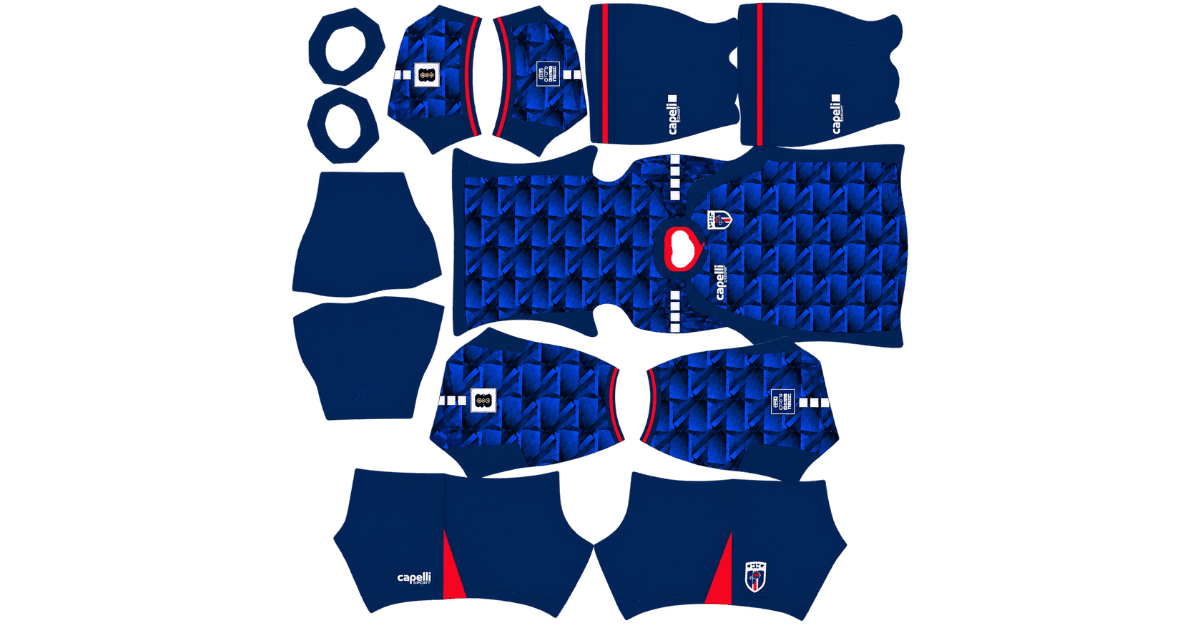
A Cape Verde DLS kits URL is a direct link to a 512×512 PNG of a Blue Sharks shirt that you can import into Dream League Soccer. All four kit slots are covered below, and each image has been loaded into the game before being added to this page.
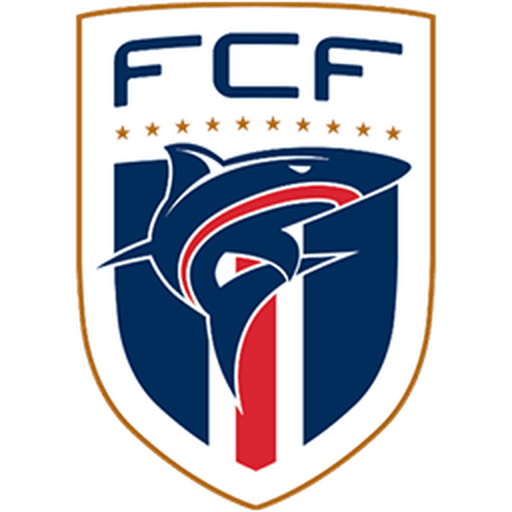
Cape Verde Logo
Official Logo 512×512 (2026/27)
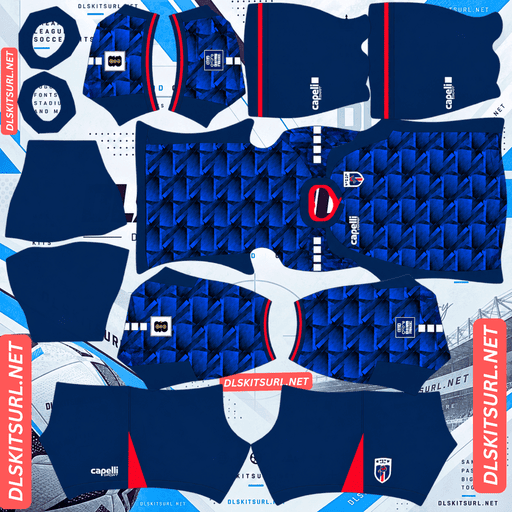
Cape Verde Home Kit
Home Kit 512×512 (2026/27)
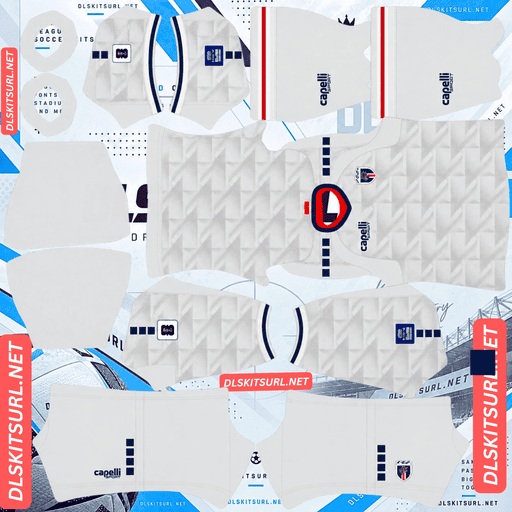
Cape Verde Away Kit
Away Kit 512×512 (2026/27)
Cape Verde’s World Cup story made the national team one of the tournament’s biggest talking points. Capelli Sport designed the three outfield shirts around the same template, which makes checking the kit files easier than usual.
The World Cup Campaign Behind Cape Verde’s Kits
Cape Verde qualified for the World Cup for the first time in its history and went on to reach the knockout stage.
The Blue Sharks competed in Group H, drawing all three of their matches. They played out a 0–0 draw with Saudi Arabia, a 2–2 draw with Uruguay, and another draw against Spain, who finished the group unbeaten.
Those results were enough to secure second place in Group H. Cape Verde’s progress came at the expense of both Uruguay, a two-time world champion, and Saudi Arabia, a team that had appeared at three consecutive World Cups.
Cape Verde became the first World Cup debutant to reach the knockout stage since Slovakia in 2010 and the smallest nation ever to achieve that feat. The country is also the second-smallest by land area and the third-smallest by population among nations to qualify for the tournament.
Kit pages for Spain, Uruguay and Saudi Arabia are also available on this site, making Group H one of the most completely covered groups in the collection.
Three Cape Verde Kits, One Shared Design
The Cape Verde kits were released by Capelli Sport, with the main collection unveiled on 13 April 2026 and the third shirt following in June. The designs were developed under the concept “Connected Through Rhythm.”
All three shirts share the same streamlined template and a tonal geometric pattern. The layered triangular design represents the flight paths connecting Cape Verde’s ten islands, linking the shirt graphics to the country’s geography.
Kit
Base Colour
Main Details
Home
Deep blue
Navy side and shoulder panels, red collar and cuffs
Away
White
Blue and red trim, subtle tonal grey pattern
Third
Red
Navy underarm and side panels
Why the Shared Template Makes File Checking Easier
Because the three shirts use the same basic construction, a source that has aligned one kit correctly should be able to reproduce the other two using the same template. The collar placement, panel shapes and geometric pattern follow the same structure; the main differences come from the colours.
That gives you a useful way to judge a collection. If an away-kit image from a particular source has clean alignment, its home and third kits are worth checking too. If the away design is poorly aligned, inspect the other files carefully before importing them.
Getafe uses a similar approach across three kits this season, while Tunisia, Brighton and Uzbekistan share related design structures across two shirts.
Will Cape Verde’s Flight-Path Pattern Show Up in DLS?
The pattern should remain partly visible on the home and third kits, but it may be barely noticeable on the away shirt.
The flight-path graphic is tonal, meaning it uses shades of the base colour rather than a strongly contrasting colour. Tonal patterns are among the first details to fade when an image is reduced to 512×512, but the result depends on the shirt’s background colour.
Home kit — deep blue: The darker base provides more room for lighter tonal details. Expect the triangular geometry to remain faintly visible in a good file.
Third kit — red: The red background can also preserve some tonal variation, although the result depends on how strongly the original graphic contrasts with the base.
Away kit — white: This is the most difficult option. The pattern is described as subtle tonal grey on white, leaving very little contrast for the game to preserve.
Expect the away shirt to look mostly white with blue and red trim. Much of the flight-path design may disappear during import.
England’s jacquard home shirt, Qatar’s desert-dune graphics and Erzurumspor’s Palandöken third kit face a similar problem: their subtle patterns struggle to remain visible against pale backgrounds.
What to Check Instead of the Pattern
All three Cape Verde shirts have clearly defined details that are easier to preserve than the tonal graphic.
Collar and sleeve cuffs: Red on the home shirt, and blue and red on the away.
Four white squares on each shoulder: Capelli Sport’s signature marking.
Navy side and shoulder panels: Present on the home and third kits.
The white shoulder squares are the best quality check. They are simple geometric shapes with hard edges and no fine texture. If the squares look sharp rather than blurred or smeared, the file is more likely to have retained its detail properly.
Cape Verde’s National Crest Has Some Tricky Details
Before choosing a badge file, it helps to understand the shape of the Cape Verde crest.
The badge features a shield with a gold outline, a stylised shark over a red vertical element, a row of stars above, and FCF lettering at the top.
Dream League Soccer’s circular badge crop can affect several parts of this design.
The stars may be cut off first. They sit above the main shield, close to the top edge. When the game crops the image into a circle, the upper corners and top edge are especially vulnerable if the original file has little surrounding space.
The bottom of the shield also needs room. Since a shield narrows towards its lower point, a tight circular crop can remove part of the outline.
The FCF lettering may become difficult to read. The game displays badges at a small size beside the score, so fine lettering often loses clarity.
Choose a badge image with clear space around the complete crest rather than one cropped tightly to the artwork. The shark and the main colour blocks are the most important details to preserve, while the stars are more likely to survive when the file includes enough padding.
Supporters importing the badges of Uruguay, France, Spain, Grêmio and Atlético Mineiro can face similar problems with stars positioned near the top of a crest.
What Number Colours Work Best on Cape Verde’s Kits?
Dream League Soccer takes number colours from two small swatches in the kit template, not directly from your imported image. One controls the shirt numbers, while the other controls the shorts numbers.
Home kit: Use white against the deep blue background. Red is too close to the collar and cuff trim to provide the same consistent contrast at number size.
Away kit: Choose blue or red to match the trim. White numbers against a white shirt can become almost invisible.
Third kit: Use white against the red background, or choose navy to match the side and underarm panels.
Set the shirt and shorts swatches separately so that both number areas remain readable.
How Visible Are Cape Verde’s Kits on the Pitch?
All three kits should remain easy to distinguish because their main colours sit apart from the green pitch.
Dream League Soccer renders players at a relatively small size during matches. Visibility depends on how strongly the shirt colour contrasts with the grass and how clearly its main design can be recognised from a distance.
Deep blue stands apart from the pitch, while the navy side and shoulder panels add structure to the home shirt’s silhouette.
Red creates a particularly strong contrast with green, making the third kit the most visually striking option at match distance.
White is neutral rather than strongly contrasting. The away shirt should still be visible, but its blue and red trim does more of the work in defining the design. Since the tonal pattern may fade, those coloured details become especially important.
Capelli Sport Is a Smaller Supplier — What That Means for DLS Files
Most large Dream League Soccer kit libraries focus heavily on Nike, Adidas and Puma. When those brands release a major shirt collection, images can spread across international kit databases very quickly.
Cape Verde’s World Cup collection marked a major moment for Capelli Sport as well as for the national team. The brand entered the tournament under a four-year partnership agreed in 2026, but its releases generally receive less automatic coverage than kits from the largest suppliers.
Cape Verde’s performance helped balance that out. The story of a debutant nation reaching the knockout stage attracted significant attention, meaning more kit files may be available than the supplier’s usual reach would suggest.
Still, check the actual image dimensions rather than trusting the filename. On a computer, right-click the image and open it in a new tab. If your browser displays the dimensions, confirm that the file is genuinely 512×512.
How to Tell Whether a Cape Verde Kit File Is Current
Use these four details to identify the 2026/27 Capelli Sport collection:
Capelli Sport branding: Look for the four white squares on each shoulder.
Home shirt: It should be deep blue with navy side and shoulder panels and red collar trim.
Away shirt: It should have a white base, blue and red trim, and a subtle tonal grey pattern.
Shared geometric design: All three outfield shirts should use the same layered triangular flight-path pattern. If one has a completely different structure, it may not belong to this collection.
These checks help distinguish the current designs from older shirts and inaccurate recreations.
How to Use a Cape Verde DLS Kits URL
To import a shirt, copy the direct image link using the button on the kit card. Do not copy the address from your browser’s address bar, because that usually points to the webpage rather than the image itself.
Follow these steps:
Open Dream League Soccer.
Tap My Club.
Select Customise.
Open the Kit section, not Logo. These are separate customisation options.
Select the slot you want to replace.
Press and hold the URL field and tap Paste.
Tap Confirm. Some older versions may show Download instead.
Always select the correct slot before importing the link. The currently selected slot is the one that will be replaced.
Cape Verde has three outfield designs, so you can use the home, away and third kits in their respective slots. The fourth slot is for the goalkeeper, so make sure you configure it rather than leaving the default kit unchanged.
The first custom kit requires a one-time gem unlock. Once the feature is unlocked, changing your imported kits does not cost additional gems.
Test Your Cape Verde Kit URL Before Importing
Open the URL in your browser before using it in the game. A working direct image link should display the shirt on its own, with the address ending in .png.
If the shirt appears inside a webpage with navigation, buttons or other elements around it, you probably have a viewer page rather than a direct image URL. Dream League Soccer needs the actual image file.
On a computer, right-click the image and open it in a new tab. If your browser provides the image dimensions, check that the file is genuinely 512×512.
A filename containing 512×512 does not prove that the image has those dimensions.
Why Do Cape Verde DLS Kit URLs Stop Working?
Three common problems can break kit links, and smaller football federations may be particularly affected by the first.
Free image hosts delete files. Kit uploads for national teams outside the biggest supplier networks may receive less long-term maintenance. If a host removes an unused file, the old URL can continue to look valid even though the image is gone.
Hotlink protection blocks requests. Some image hosts allow an image to open in your browser but refuse requests from other applications. This can explain why a URL works when you click it but fails when you paste it into Dream League Soccer.
The preview and the linked file are different. Some webpages display a thumbnail stored on their own server while providing a copy link to an image hosted elsewhere. The preview can continue to work even after the actual image URL stops functioning.
For a more reliable import, the shirt shown on the kit card and the link you copy should point to the same image file on the same server.
How to Import the FCF Badge
You can add the Cape Verde Football Federation crest during the same customisation session. Follow the same menu path, but choose Logo instead of Kit.
The shark at the centre of the badge is its most important visual feature. It forms a bold, self-contained shape that can remain recognisable even when the game displays the crest at a small size. The fine lettering and gold outline are less likely to remain sharp.
Dream League Soccer crops badges into a circle, so padding is particularly important for this crest. It has details near both the top and bottom, including the row of stars above the shield and the shield’s pointed base.
Choose an image with sufficient clear space around the entire design to reduce the chance of losing these details during cropping.
How to Keep Your Cape Verde Kits
Custom kits are stored on your device rather than permanently attached to your account. Updating the game will usually preserve them, but reinstalling the app or switching phones may mean importing the shirts and badge again.
These shirts represent Cape Verde’s first World Cup appearance and a memorable run to the knockout stage. Keeping the links safe makes it easier to restore the collection later.
Save all four kit links in a notes app before you start, including the goalkeeper link and the badge URL. That way, you can rebuild your collection without searching for every file again.
Frequently Asked Questions
What is a Cape Verde DLS kits URL?
A Cape Verde DLS kits URL is a direct link to a 512×512 PNG of a Blue Sharks shirt that you can import through Dream League Soccer’s Kit menu. A working direct image link should end in .png.
What is the pattern on Cape Verde’s 2026 kits?
The shirts feature a layered geometric triangular pattern inspired by the flight paths connecting Cape Verde’s ten islands. The design follows Capelli Sport’s “Connected Through Rhythm” concept, and all three outfield kits share the same pattern.
Why does my Cape Verde away kit look plain white?
The away shirt uses a subtle tonal grey flight-path pattern on a white background. Because the colours have very little contrast, the graphic can disappear at 512×512 resolution. The darker home and red third kits have a better chance of preserving their tonal details.
How can I check the quality of a Cape Verde kit file?
Look at the four white squares on each shoulder, which are Capelli Sport’s signature marking. Their simple shapes and hard edges make them a useful quality check. If the squares look crisp rather than blurred, the image is more likely to have retained its detail.
Why are the stars missing from my Cape Verde badge?
The stars sit above the crest, where Dream League Soccer’s circular crop can cut them off. Choose a badge image with clear space around the complete design to give the stars and the shield more room.
How did Cape Verde perform at the 2026 World Cup?
Cape Verde drew all three group matches and finished second in Group H. The team drew 0–0 with Saudi Arabia, 2–2 with Uruguay and also drew with Spain. It eliminated both Uruguay and Saudi Arabia and became the first World Cup debutant since 2010 to reach the knockout stage.
Who makes Cape Verde’s kits?
Capelli Sport makes Cape Verde’s 2026/27 kits under a four-year partnership agreed in 2026. The tournament was a World Cup debut for both the national team and the supplier.
Does Cape Verde have a third kit?
Yes. Cape Verde’s third kit is predominantly red, with navy underarm and side panels. It uses the same Capelli Sport template and triangular flight-path pattern as the home and away shirts.